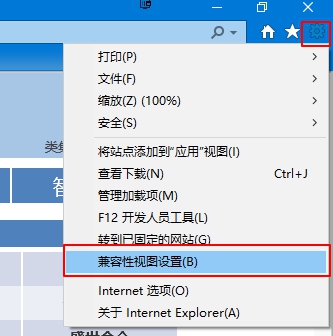
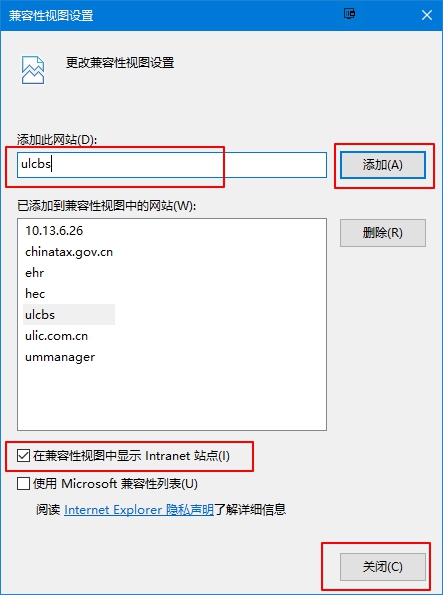
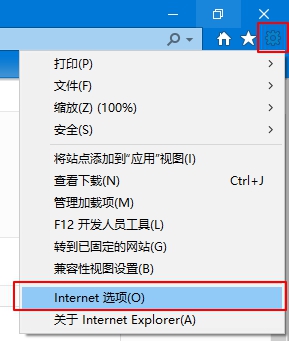
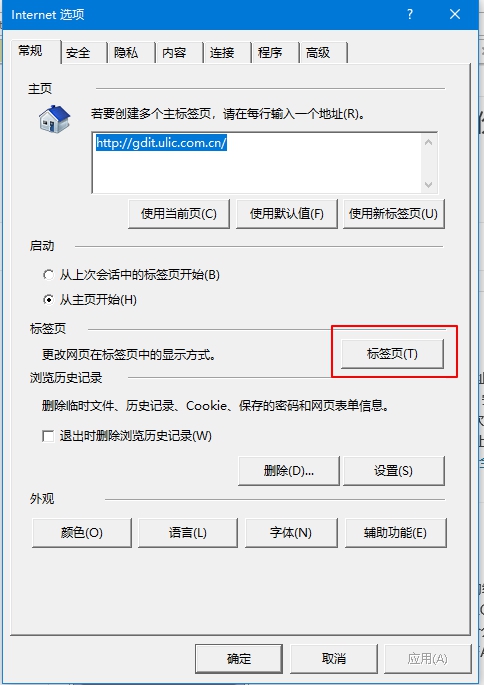
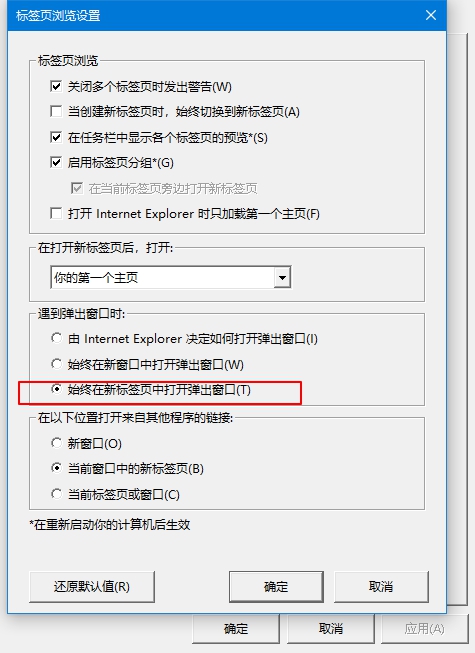
##IE11兼容性模式## 打开IE11浏览器 工具→兼容性视图设置→输入网址(如核心业务系统ulcbs)→添加→确定→重启浏览器 可以同时添加 10.* ehr oa ulweb hec 10.17.2.33 10.17.2.38 10.13.6.26 10.13.1.18 ![snipaste20180604_112642.jpg][1] ![snipaste20180604_113113.jpg][2] ##IE11标签页设置## ##OA签报另存为## 打开IE11浏览器,设置-Internet选项-常规-标签页-始终在新标签页中打开弹出窗口 ![snipaste20180611_091356.jpg][3] ![snipaste20180611_091436.jpg][5] ![snipaste20180611_091453.jpg][4] [1]: https://gdit.v2to.top/usr/uploads/2018/06/176640323.jpg [2]: https://gdit.v2to.top/usr/uploads/2018/06/2232384063.jpg [3]: https://gdit.v2to.top/usr/uploads/2018/06/3258451351.jpg [4]: https://gdit.v2to.top/usr/uploads/2018/06/1818009519.jpg [5]: https://gdit.v2to.top/usr/uploads/2018/06/1340620101.jpg IE11兼容性模式打开IE11浏览器 工具→兼容性视图设置→输入网址(如核心业务系统ulcbs)→添加→确定→重启浏览器可以同时添加10.*ehroaulwebhec10.17.2.3310.17.2.3810.13.6.2610.13.1.18IE11标签页设置OA签报另存为打开IE11浏览器,设置-Internet选项-常规-标签页-始终在新标签页中打开弹出窗口 Last modification:June 4, 2019 © Allow specification reprint Support Appreciate the author Like If you think my article is useful to you, please feel free to appreciate